About
Announcements
What the in-app banner is, where it comes from, and how to turn it off.
Occasionally Zerm shows a small banner in the app: a release worth knowing about, a
change in behaviour, or something that needs your attention. This page explains what
that is, because a notification appearing in a privacy-focused app deserves an
explanation rather than a dismissal button.
Where it comes from
Zerm fetches a small JSON file from this site — arcusis.github.io/Zerm — a few
seconds after launch and every four hours thereafter.
The file lists announcements, each with a title, a short description, an optional link,
and a start and end date. Zerm shows the first one that is currently active and that you
have not already dismissed.
What is sent
Nothing. It is an ordinary GET for a static file on GitHub Pages. No identifier, no
usage data, no transcript content, no account — Zerm has no account system at all.
Serving the file means GitHub's servers see a request from your IP address, the same as
any web page you load. That is the entire footprint.
What is stored
The identifiers of announcements you have dismissed, so you are not shown the same one
twice. Only the two most recent are kept.
Turning it off
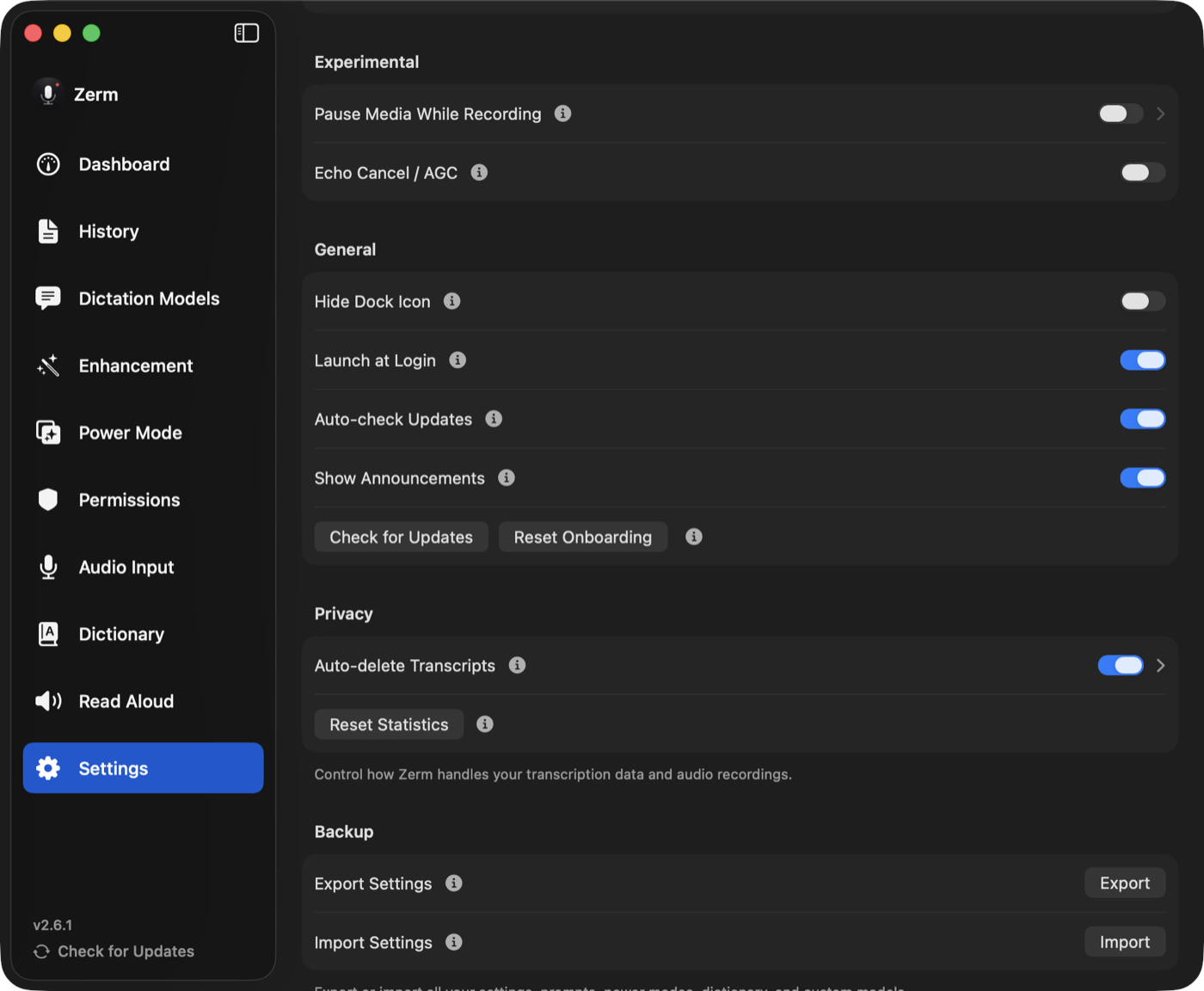
Settings → Show Announcements. Off means no fetch at all, not a fetch with the banner
hidden.
You will still get release notes on the changelog, and update
checks are a separate setting.
Update checks
Zerm also checks for new versions through Sparkle, against a signed feed hosted here.
That is Auto-check Updates in Settings, independent of announcements, and can be
switched off on its own.
Every advertised update carries a signature that is verified before installation, and
builds are served from GitHub Releases. Neither check sends anything about you.