Setup
Permissions
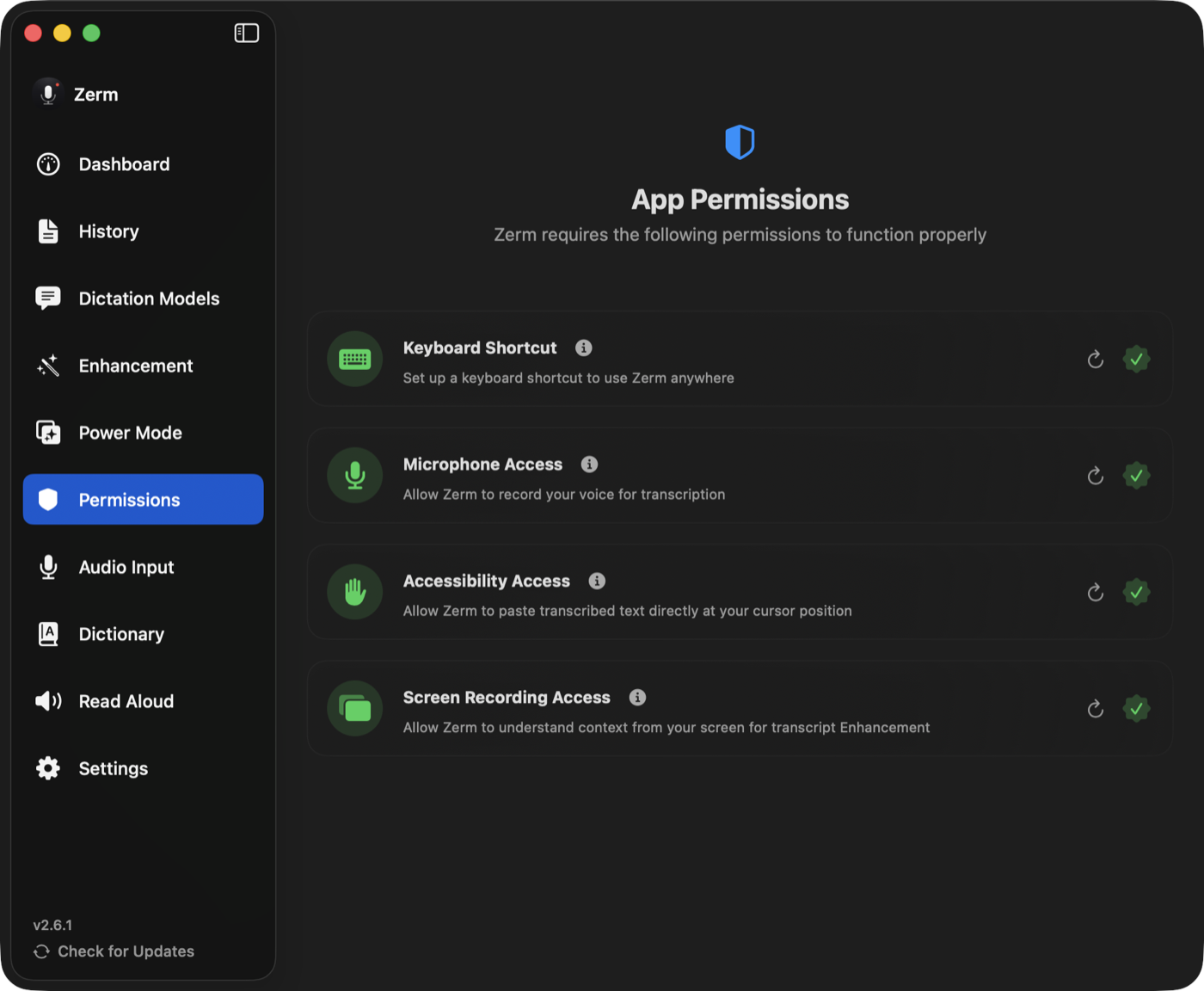
The three permissions Zerm asks for, what each one actually unlocks, and how to fix the one that keeps going red.
Zerm asks for three macOS permissions. Each buys a specific capability, each can be
declined, and declining one degrades the app rather than breaking it.
Microphone
Required. Without it there is no audio to transcribe.
macOS prompts once, on first use. If you dismissed the prompt, grant it in
System Settings → Privacy & Security → Microphone.
Accessibility
Needed to paste at your cursor. This is what lets Zerm put text into another
application's text field, and what lets Read Aloud see what you have selected.
Decline it and Zerm falls back to the clipboard: the transcript is copied and you paste
it yourself. Everything else works.
It is also what makes Instant + Refine able to improve text in
place. Without Accessibility, Refine has nothing to write through.
If it stays red after you grant it
This is the one that catches people, and it is macOS rather than Zerm.
- Enable Zerm in System Settings → Privacy & Security → Accessibility.
- Come back to Zerm and press the refresh button on the permission card.
- If it is still red, quit Zerm completely (⌘Q) and reopen it. macOS binds
Accessibility trust at process launch, so a running process sometimes cannot see a
grant that was made after it started.
Closing the window is not quitting — Zerm keeps running in the menu bar. Use ⌘Q or
Quit from the menu bar item.
If it is still red after a relaunch, remove Zerm from the Accessibility list with the
minus button, then add it back. That clears a stale entry, which usually happens after
the app has been moved or replaced by an update.
Global keyboard monitoring
Global keyboard monitoring lets dictation shortcuts work while another app is active.
If macOS blocks the monitor or Accessibility trust is missing, the Permissions page marks
keyboard monitoring unavailable and the hotkey notification explains where to enable it.
Push to talk and hybrid holds also check the physical trigger key state, so a missed key-up
event still stops and finalizes the recording. Toggle mode keeps recording after key release.
Screen Recording
Optional. Only needed if you want enhancement in Enhanced output to see what is on
your screen. See contextual awareness.
Everything works without it. Dictation, Transcribe File, Read Aloud, and enhancement
using the transcript alone are all unaffected.
Screen Recording has the same launch-time binding problem as Accessibility, and Zerm
detects it: if the permission looks granted but the process cannot use it yet, the card
says so and offers to quit for you. Reopen and it will be green.
Automation — per browser
Not on the permissions screen, because macOS asks for it in context.
The first time a Power Mode website trigger needs to read the URL of
your active tab, macOS asks whether Zerm may control that browser. It asks separately
for each browser.
Decline it and website triggers never match. Application triggers and everything else
are unaffected.
What Zerm does not ask for
No Full Disk Access, no Contacts, no Calendar, and no account of any kind. Global hotkey
monitoring may require Accessibility or Input Monitoring on macOS.
Zerm does not capture system audio, so there is no System Audio Recording permission.
Transcribe File works on files you choose and needs no
permission at all. All of it is in the source, under GPLv3.